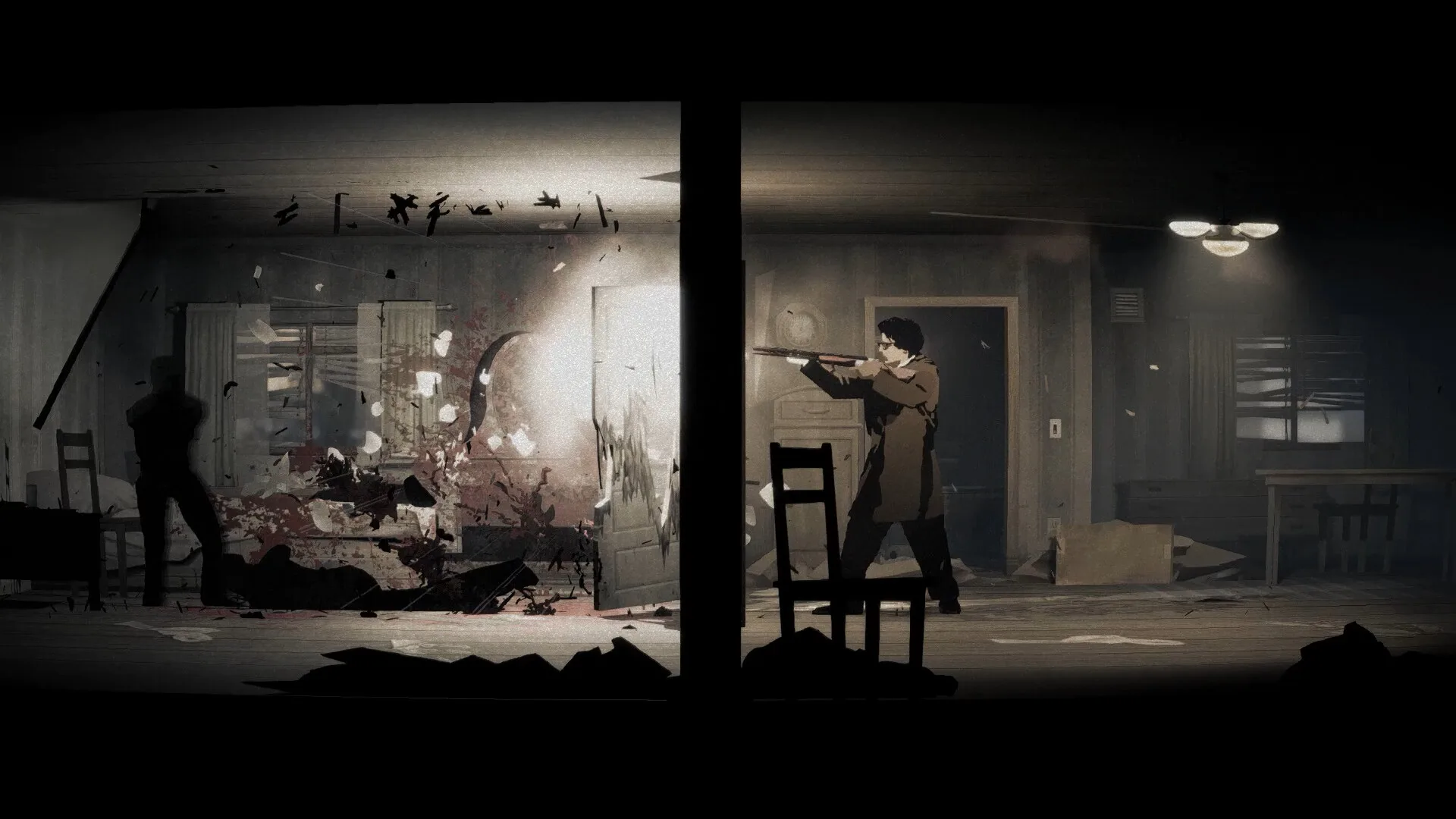
- Silver Pines system requirements: Official final specs may shift before launch — verify on the store page.
- Genre: A 90s-set survival horror with Metroidvania exploration and timed combat mechanics.
- Demand level: A stylized atmospheric horror title that generally runs well on mid-range hardware.
- Key tip: An SSD and headphones matter more than raw GPU power for this game's mood and audio design.
- Demo check: Try the demo first to confirm performance on your specific machine.
Silver Pines System Requirements Overview
Silver Pines is a survival horror game set in a rain-soaked, cursed small town in 1993, where private investigator Walker searches for the missing musician Eddie Velvet. Blending Resident Evil-style resource management with Metroidvania exploration, the game leans on moody lighting, atmospheric fog, and dense environmental detail rather than photo-realistic asset streaming. That typically means moderate hardware demands, but the exact Silver Pines system requirements should always be confirmed on the official Steam page once the full game launches.
Video Highlights:
- Ultrawide demo gameplay captured during a Steam Next Fest showcase
- Shows the camera-based mapping, payphone saving, and weapon durability systems
- Demonstrates the game's heavy atmosphere: rain, fog, and dim motel interiors
- Includes timed dodge and active-reload combat that rewards stable frame rates
The reference builds below are community-oriented estimates based on the demo's visual profile and comparable stylized horror games. Treat them as a planning baseline, not official numbers.
Estimated PC Spec Tiers
| Tier | Target Experience | CPU (Est.) | GPU (Est.) | RAM | Storage |
|---|---|---|---|---|---|
| Minimum | 720p/1080p low, 30 FPS | Quad-core Intel i5 or Ryzen 3 | GTX 1050 Ti / RX 560 class | 8 GB | 15-25 GB HDD |
| Recommended | 1080p high, 60 FPS | 6-core i5/Ryzen 5 | GTX 1660 / RX 5600 XT | 16 GB | SSD, 25 GB free |
| High-End | 1440p-4K max, 60+ FPS | i7/Ryzen 7 | RTX 3060 / RX 6700 XT | 16 GB+ | NVMe SSD |
Notes on each tier:
- Minimum: The game's stylized art direction keeps the floor low, but low-end GPUs may struggle with fog and dynamic lighting effects in outdoor scenes.
- Recommended: Aim here if you want consistent 60 FPS during combat, when timed dodges and active reloads depend on responsive visuals.
- High-End: Reserved for ultrawide or 4K play, as seen in demo footage — the art style scales cleanly at high resolutions.
Silver Pines uses directional sound heavily — footsteps, whispers, and creature audio cue danger before you see it. A decent headset does more for survival than extra frames.
Component-by-Component Breakdown
| Component | Importance | Why It Matters for Silver Pines |
|---|---|---|
| CPU | Medium | Handles enemy AI, physics traps, and item interactions; modest needs |
| GPU | Medium-High | Fog, rain, dynamic lighting, and film-grain post-processing |
| RAM | Medium | 8 GB workable, 16 GB avoids stutter in dense areas like the motel |
| Storage | Low-Medium | SSD shortens loads; magical storage boxes reduce backtracking |
| Audio | High | Sound cues are core gameplay — invest in headphones |
Budget Build Path
- Older GPU is fine for 1080p low
- 8 GB RAM acceptable
- Expect 30-45 FPS in dark interiors
Balanced Build Path
- GTX 1660-class hits 60 FPS at 1080p high
- 16 GB RAM for smooth area transitions
- SSD strongly recommended
Enthusiast Path
- RTX 3060+ for 1440p/4K ultrawide
- Max post-processing without grain dips
- HDR-capable display enhances mood
Demo footage was captured in ultrawide, suggesting native or near-native 21:9 support. Verify aspect ratio handling in the full release settings.
Pre-Flight Setup Steps
Verify Your Hardware
Compare your CPU, GPU, and RAM against the tiers above using Task Manager (Performance tab) or a tool like CPU-Z.
Update Drivers
Install the latest GPU drivers from NVIDIA, AMD, or Intel before launching — horror lighting effects benefit from recent shader compiler updates.
Install to an SSD
Place the game on an SSD to reduce load times between the motel, general store, and outskirts areas.
Run the Demo
If the demo is still available on Steam, run it first with your target settings to confirm real-world performance.
Tweak Settings If Needed
Lower shadow quality and volumetric fog first if frames dip; these have the biggest visual cost in dark scenes.
Players on recommended-tier hardware should expect stable 60 FPS at 1080p high, with headroom for background apps like Discord or a walkthrough browser.
Launch Readiness Checklist
Before You Enter the Crimson Bear Motel:
- Confirm hardware meets at least the estimated minimum tier
- Update GPU drivers to the latest stable release
- Install the game on an SSD with 25 GB free space
- Test performance in the demo or trial build
- Configure headphones and key bindings for timed dodges
- Bookmark the official Silver Pines Steam page for final specs
Progress saves cost in-game coins at payphones — an ink-ribbon style system. Keep some cash reserve so you are never forced to push deeper unsaved.
FAQ
Q: What are the official Silver Pines system requirements?
Finalized official specs have not been confirmed in the sources available to this wiki. The tiers on this page are estimates based on the demo's stylized visuals; check the official Steam page for the authoritative numbers closer to launch.
Q: Can Silver Pines run on a low-end PC or laptop?
Likely, at reduced settings. The game's stylized art style and contained environments suggest a 1050 Ti-class GPU and 8 GB of RAM can handle 1080p low at playable frame rates, though fog-heavy outdoor scenes may dip.
Q: Does Silver Pines support ultrawide monitors?
Demo gameplay footage was recorded in ultrawide format, indicating support for 21:9 aspect ratios. Verify whether cutscenes or menus letterbox in the full release.
Q: Is an SSD required to play Silver Pines?
Not strictly required, but strongly recommended. An SSD shortens load times when moving between the motel, general store, and town outskirts, which matters given the game's exploration-heavy Metroidvania structure.